Starting January 1, 2027, School Facility Program applications will be submitted through OPSC Online. Districts should set up access and authorize users now to avoid submission delays.
OPSC Online replaces paper and DocuSign workflows with one online system for preparing, reviewing, signing, and submitting applications.
Step 1: Confirm your OPSC Online access
Sign in to OPSC Online using the email address associated with your account.
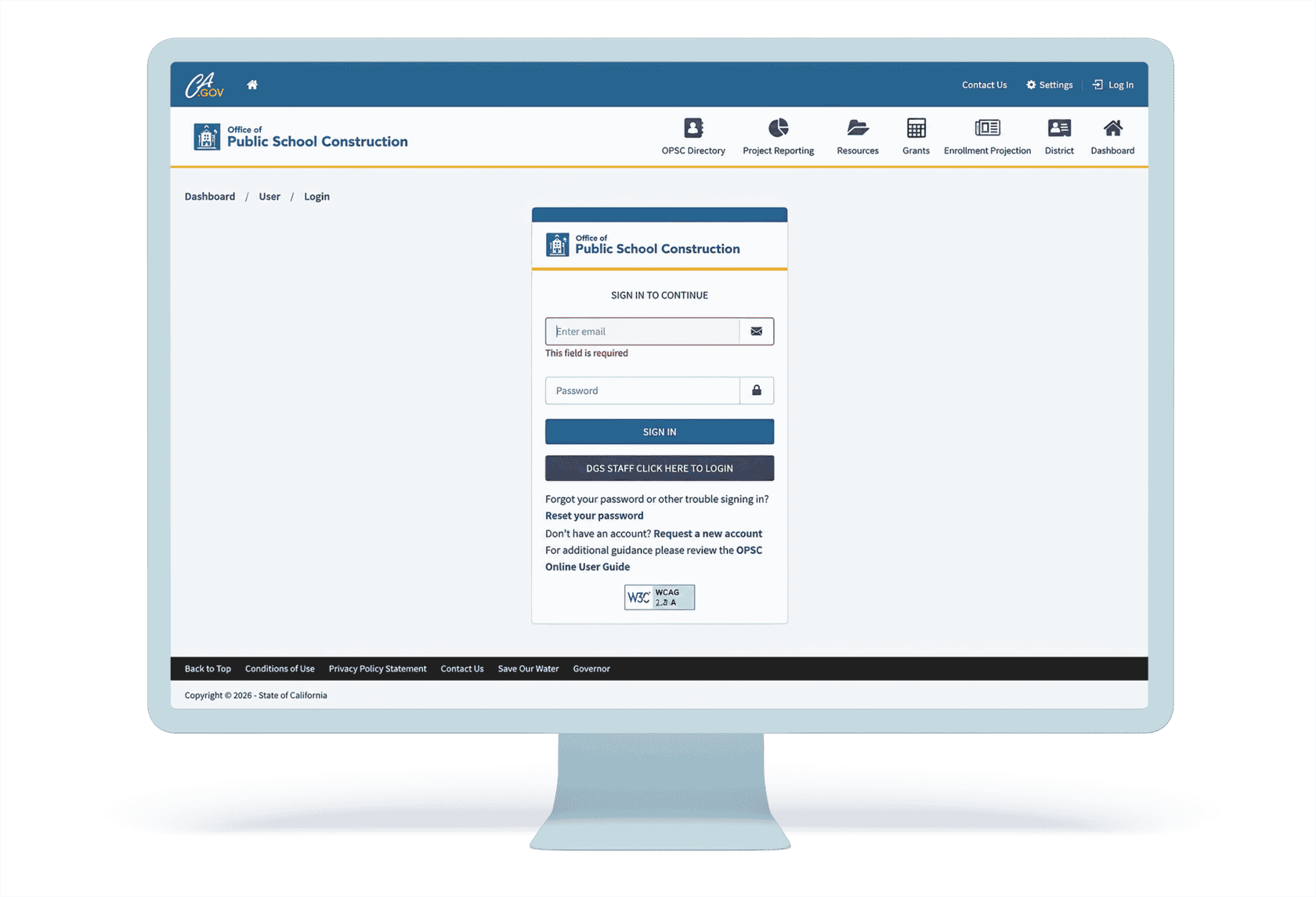
District Representatives and Superintendents on record with OPSC as of December 10, 2018, should already have an account. If you do not, contact OPSCOnlineSupport@dgs.ca.gov.
District Representatives requesting an account must include a school board resolution authorizing them to submit applications. Superintendents do not need additional paperwork.
Need help? Contact King.
Step 2: Identify who needs access
Determine who will work in OPSC Online for your district.
- Superintendent/District Representative: Full access and the only role that can submit applications.
- Architect: Can create draft applications and review/certify applicable cost estimates.
- Delegate/Consultant: Can work on applications but cannot submit them or review cost estimates.
Architects and consultants must be authorized by the district before they can work on your applications.
Step 3: Add your architects and consultants
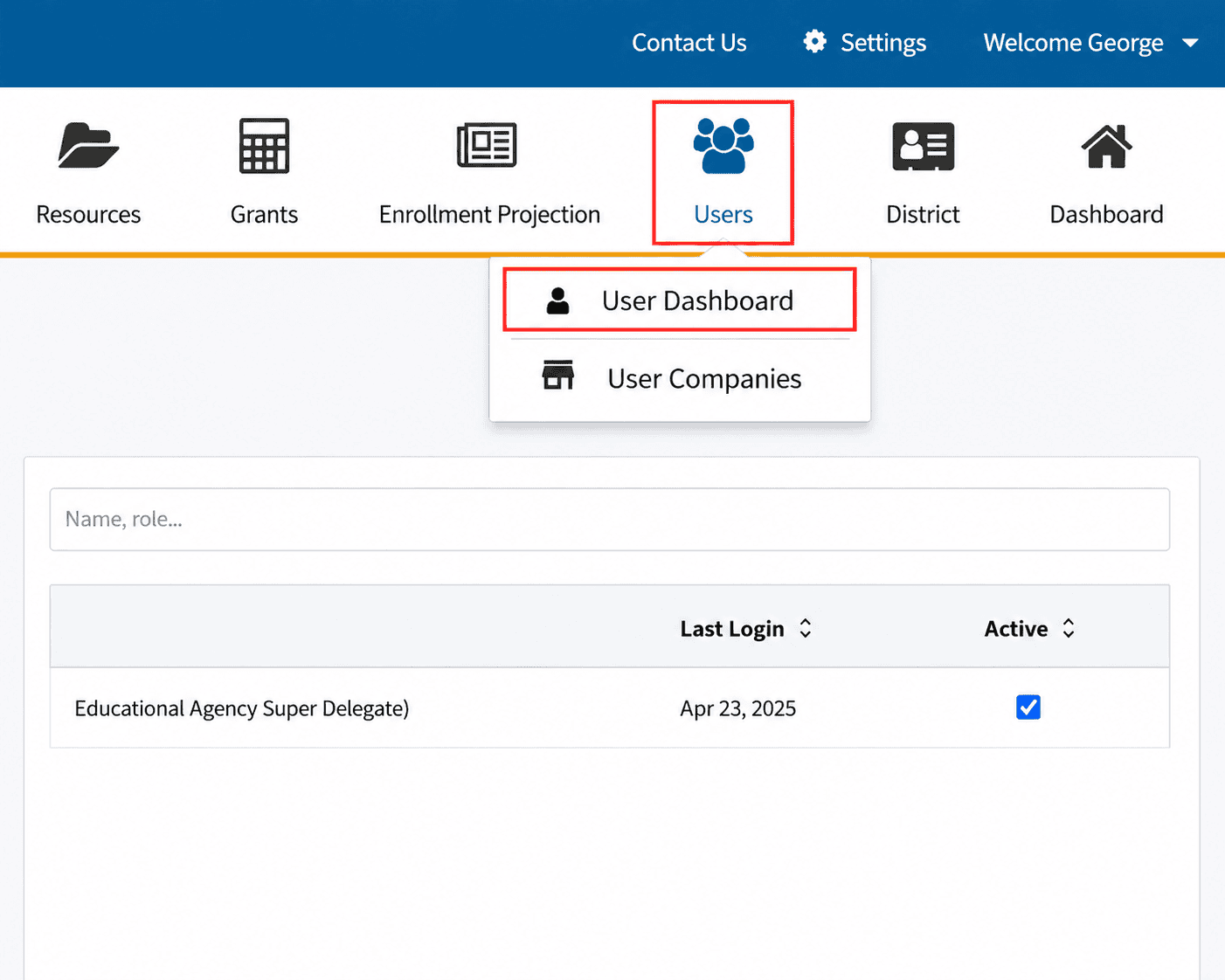
A Superintendent or District Representative can manage users from the Users section.
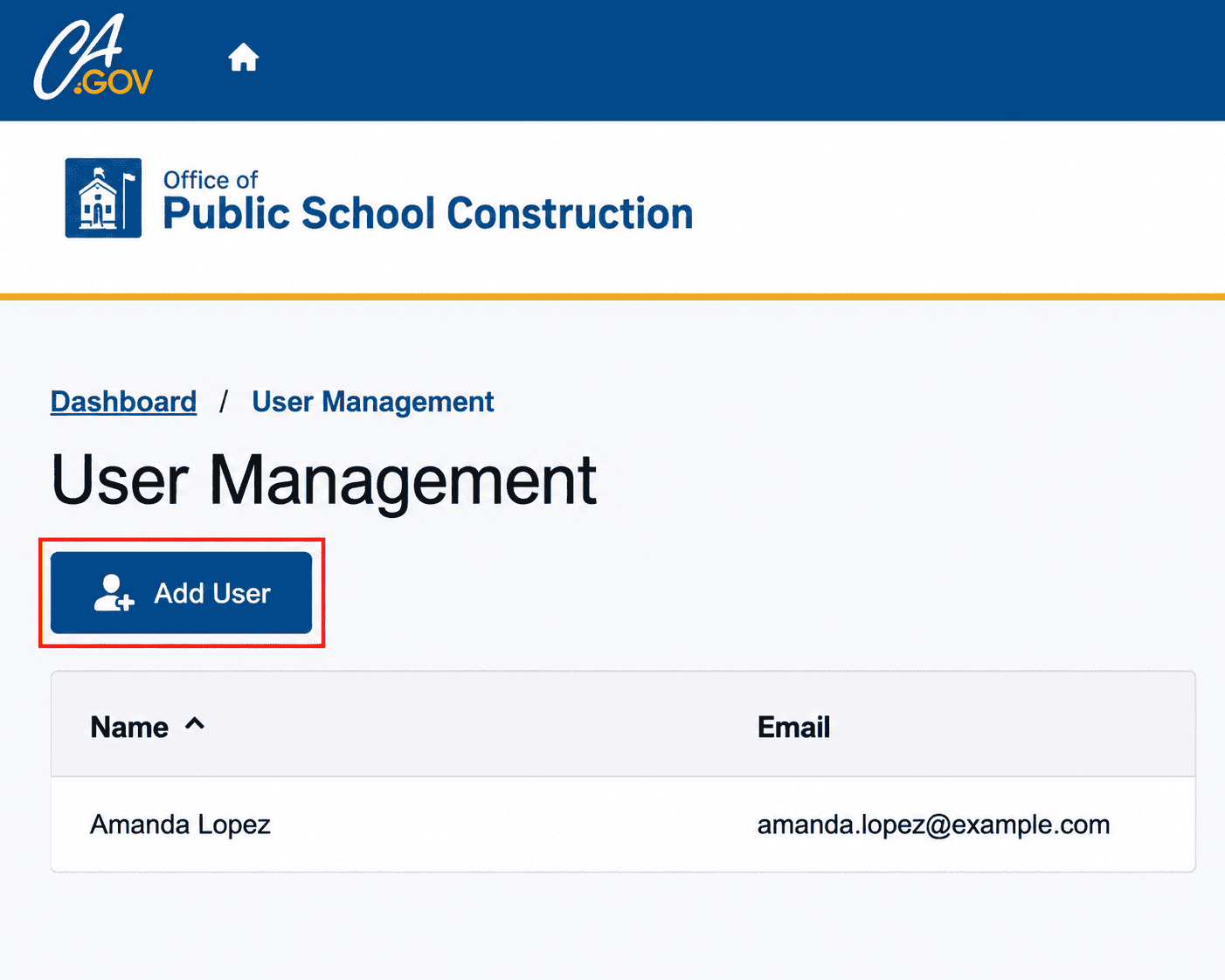
Go to Users → User Dashboard → Add User.
Enter the user’s email address to see whether an account already exists. If not, enter the requested user information.
Step 4: Check for users who already work with another district
If an architect or consultant is already assigned to another school district in OPSC Online, the Superintendent or District Representative must contact OPSC staff to add access for your district.
It is very common for architects and consultants to work with multiple districts, so it is likely you will need to contact OPSC.
Step 5: Assign district access
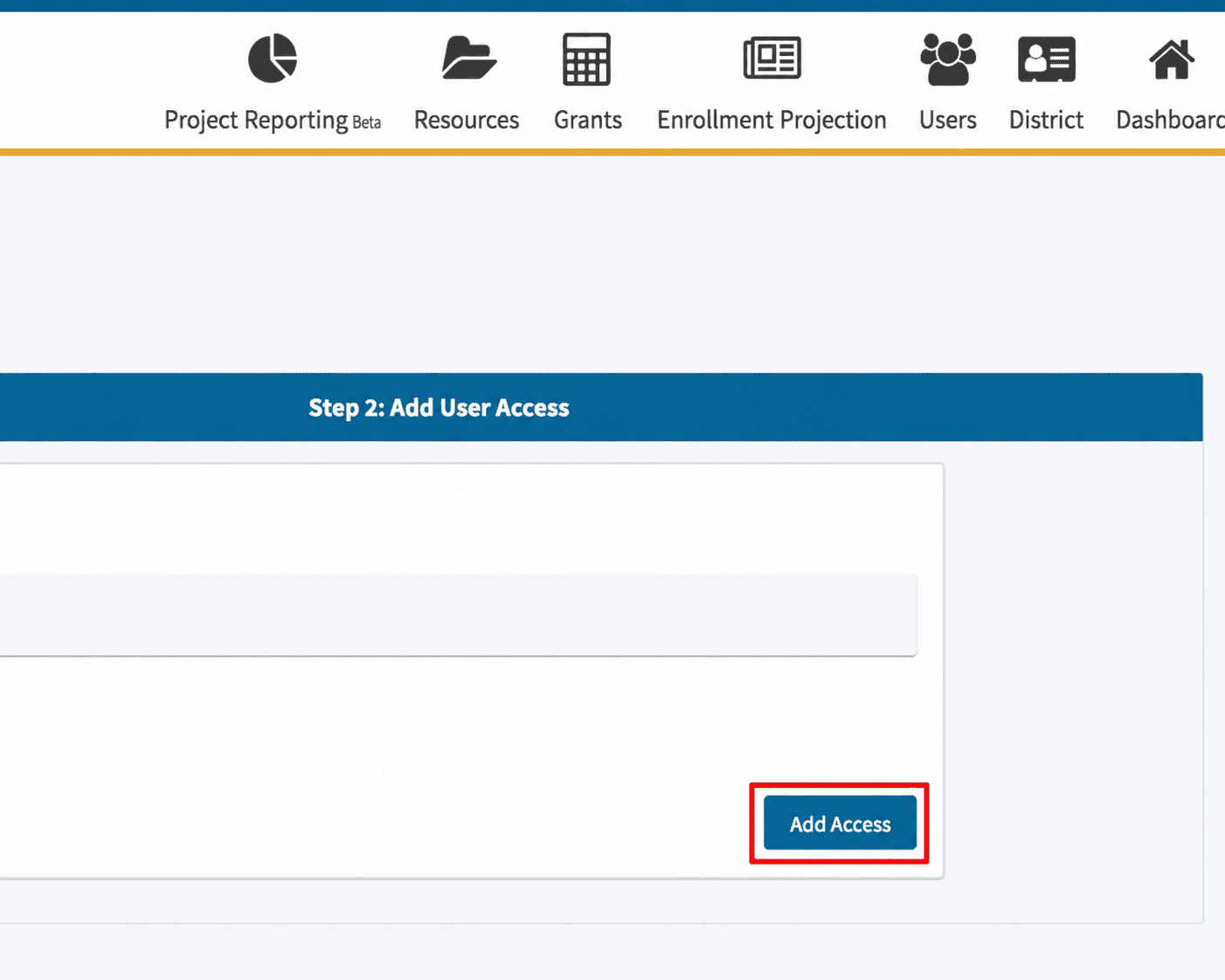
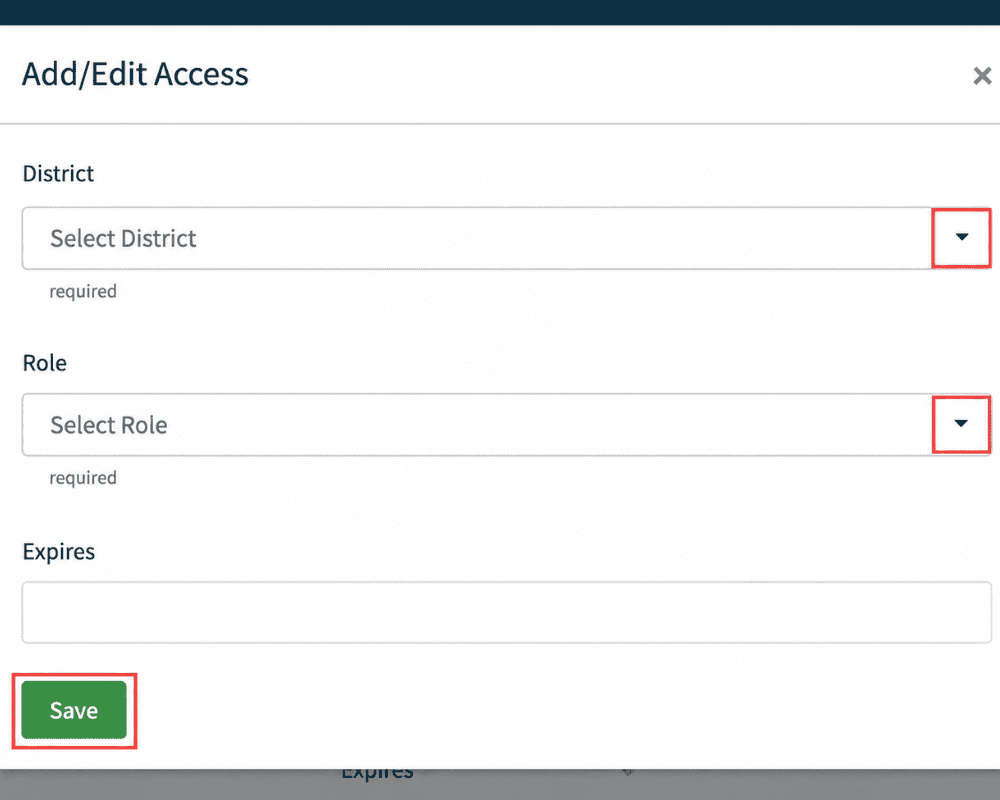
Once the user has been added, select Add Access, choose your district from the dropdown, and assign the appropriate role.
You can also set an expiration date for the user’s access if needed.
The King team is here to help you get ready for OPSC Online before January 1.